登录发现更多内容
首页
分类
发帖
账号
自动登录
找回密码
密码
登录
立即注册
立即登录
立即注册
其他登录
QQ
微信
首页
Portal
求助问答
Xiuno资源
Xiuno教程
Xiuno插件
Xiuno主题
休闲茶馆
定制主题
产品教程
BBS
求助问答
Xiuno资源
Xiuno教程
Xiuno插件
Xiuno主题
休闲茶馆
定制主题
开发资料
求助问答
Xiuno资源
Xiuno教程
Xiuno插件
Xiuno主题
休闲茶馆
定制主题
样品购买
求助问答
Xiuno资源
Xiuno教程
Xiuno插件
Xiuno主题
休闲茶馆
定制主题
IoT云平台
求助问答
Xiuno资源
Xiuno教程
Xiuno插件
Xiuno主题
休闲茶馆
定制主题
GitHub
求助问答
Xiuno资源
Xiuno教程
Xiuno插件
Xiuno主题
休闲茶馆
定制主题
技术博客
求助问答
Xiuno资源
Xiuno教程
Xiuno插件
Xiuno主题
休闲茶馆
定制主题
搜索
搜索
热搜:
LoRa
ESP8266
安信可
本版
帖子
用户
请
登录
后使用快捷导航
没有账号?
立即注册
每日签到
任务
广播
导读
排行榜
设置
我的收藏
退出
12
1
0
首页
智能家居
›
[智能家居]树莓派搭建全屋智能之环境搭建02 ...
1
2
/ 2 页
下一页
返回列表
[智能家居]树莓派搭建全屋智能之环境搭建02
[ 复制链接 ]
发布帖子
WT_0213
论坛元老
133
主题
1991
回帖
2万
积分
论坛元老
勤劳的打工人
论坛元老, 积分 21865, 距离下一级还需 9978134 积分
论坛元老, 积分 21865, 距离下一级还需 9978134 积分
积分
21865
私信
12人留言
楼主
智能家居
4365
12
2024-4-27 07:54:18
[i=s] 本帖最后由 WT_0213 于 2024-5-6 14:17 编辑 [/i]<br /> <br /> # 内容简介  [智能家居]什么是HomeAssistant,它又能做什么 [[https://bbs.ai-thinker.com/forum.php?mod=viewthread&tid=43795](https://bbs.ai-thinker.com/forum.php?mod=viewthread&tid=43795)]([https://bbs.ai-thinker.com/forum.php?mod=viewthread&tid=43795](https://bbs.ai-thinker.com/forum.php?mod=viewthread&tid=43795)) Home Assistant 是一个开源的智能家居平台,旨在通过集成各种智能设备和服务,提供一个统一的、可自定义的家庭自动化解决方案。它可以允许用户监控、控制和自动化家中的各种设备,包括灯光、温度、安全系统、多媒体设备等等。 Home Assistant提供四种不同的安装方法。我们建议使用家庭助理操作系统。有经验的用户可以根据其特定需求使用其他方法,例如,在虚拟化环境(如Proxmox)中或在现有操作系统(如Windows、macOS、Linux)上运行Home Assistant。 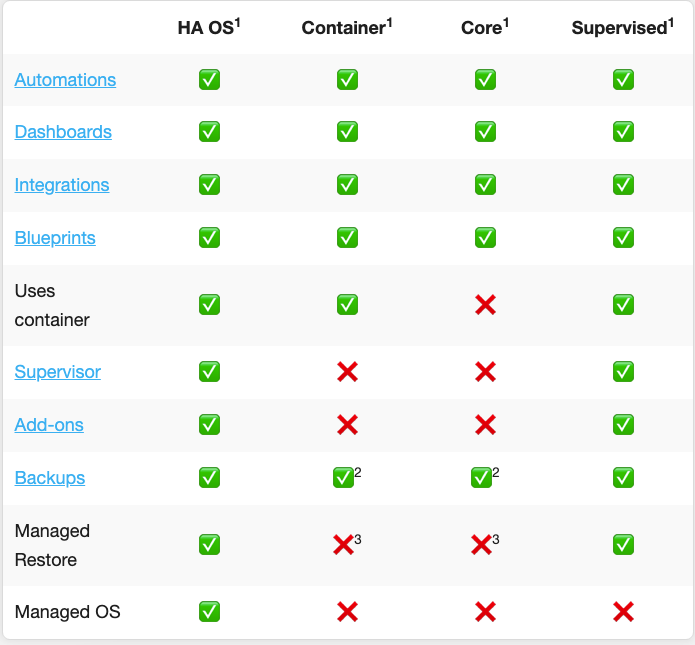 Home Assistant操作系统:为支持家庭助理而优化的最小操作系统,它配备了 Supervisor 来管理 Home Assistant 核心和附加组件,这是官方推荐的方式。 Home Assistant容器:基于容器的独立安装(Docker)。 如果你拥有树莓派或者小型主机,建议直接使用官方推荐的方法。下图展示了不同的安装方法之间可实现的功能的差异 不同安装方式所支持的内容也不太相同,这里使用的是**Home Assistant Container**容器的方式安装。 关联上篇内容 【智能家居】树莓派搭建全屋智能之环境搭建01 [[https://bbs.ai-thinker.com/forum.php?mod=viewthread&tid=44575](https://bbs.ai-thinker.com/forum.php?mod=viewthread&tid=44575)]([[https://bbs.ai-thinker.com/forum.php?mod=viewthread&tid=44575](https://bbs.ai-thinker.com/forum.php?mod=viewthread&tid=44575)]([https://bbs.ai-thinker.com/forum.php?mod=viewthread&tid=44575](https://bbs.ai-thinker.com/forum.php?mod=viewthread&tid=44575))) ## 安装 Home Assistant 安装 打开 [[https://www.home-assistant.io/](https://www.home-assistant.io/)]([https://www.home-assistant.io/](https://www.home-assistant.io/)) 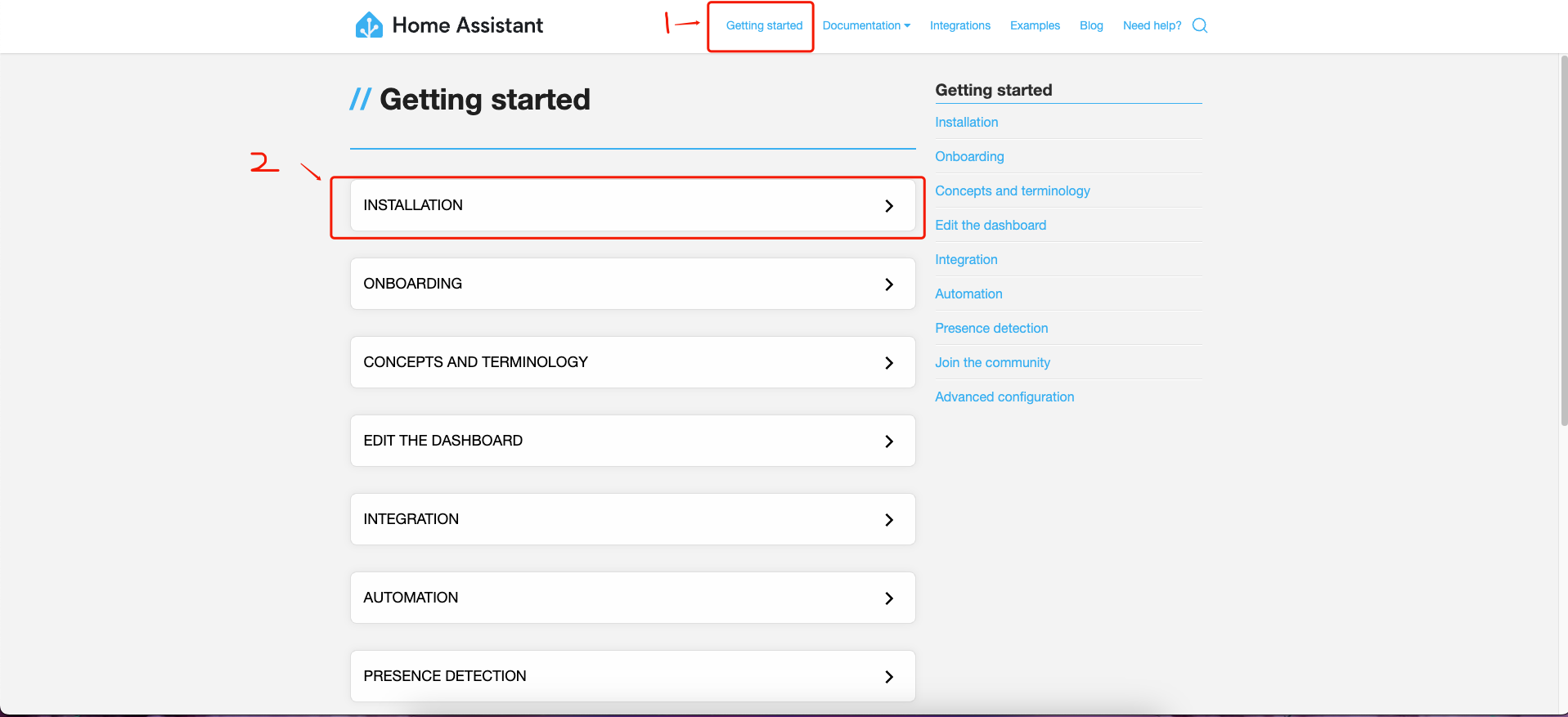 然后往下拉,找到 DIY with Raspberry Pi ,点击查看教程。  "WX20240425-232608.png") 然后往下拉找到docker命令。 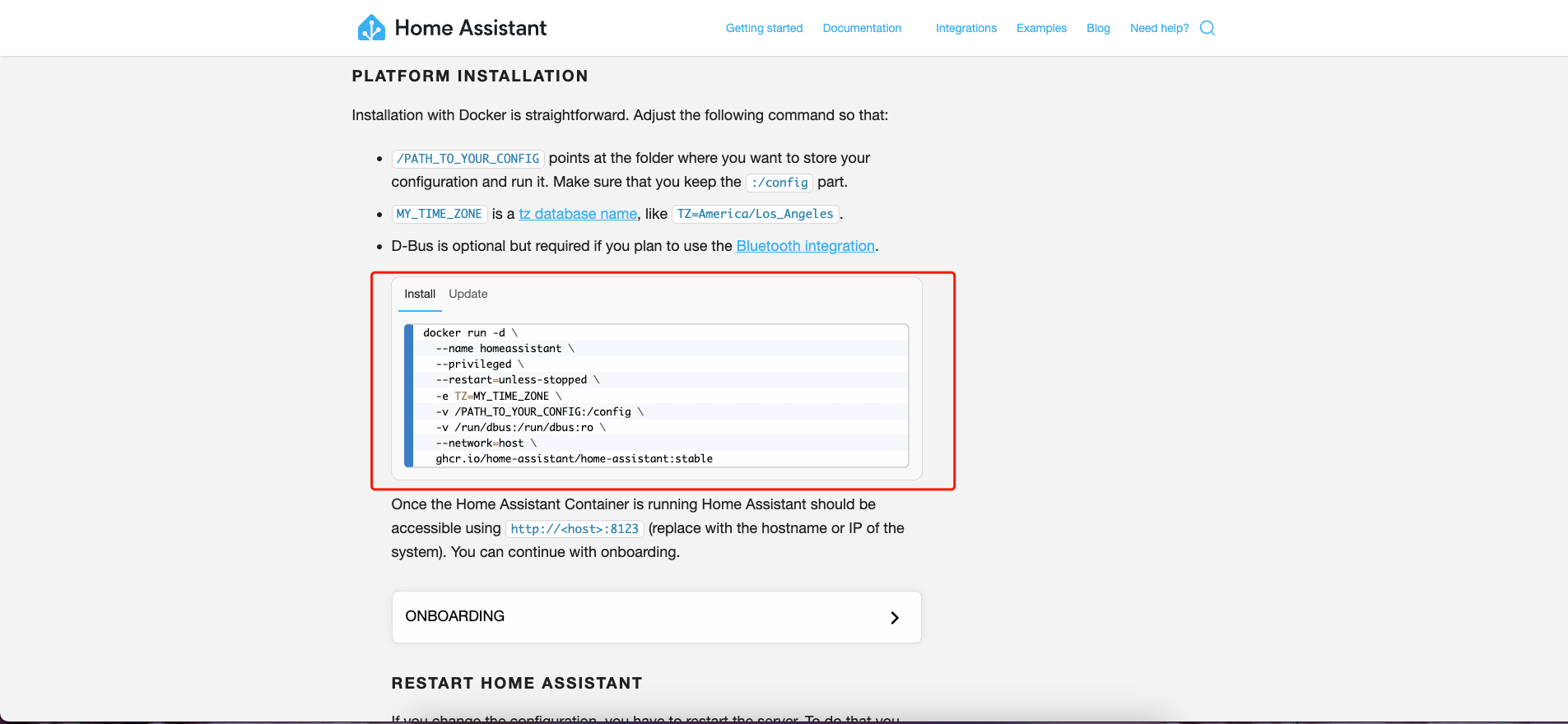 > /PATH_TO_YOUR_CONFIG指向要存储配置并运行它的文件夹。确保保留:/config部分。 > MY_TIME_ZONE tz设置时区,,tz=Asia/Shanghai这里使用上海的时区 > D-Bus是可选的,但如果您计划使用蓝牙集成,则是必需的。 创建文件夹 ``` mkdir /opt/home-assistant ``` 修改指令 ``` sudo docker run -d \ --name homeassistant \ --privileged \ --restart=unless-stopped \ -e TZ=Asia/Shanghai \ -v /opt/home-assistant:/config \ -v /run/dbus:/run/dbus:ro \ --network=host \ ghcr.io/home-assistant/home-assistant:stable ``` 输入以上命令后,如果没有报错,基本上都能安装成功,下方为安装完毕后样子。 > ``` > root@raspberrypi:~# sudo docker run -d \ > --name homeassistant \ > --privileged \ > --restart=unless-stopped \ > -e TZ=Asia/Shanghai \ > -v /opt/home-assistant:/config \ > -v /run/dbus:/run/dbus:ro \ > --network=host \ > ghcr.io/home-assistant/home-assistant:stable > Unable to find image 'ghcr.io/home-assistant/home-assistant:stable' locally > stable: Pulling from home-assistant/home-assistant > bca4290a9639: Pulling fs layer > 2d9a48781ec1: Pulling fs layer > e2788bb47bb3: Pulling fs layer > fc06312c1f7a: Pulling fs layer > 0b428f02d932: Pulling fs layer > 79f326c1b5bf: Pulling fs layer > d0dab9d61593: Pulling fs layer > 79f326c1b5bf: Downloading 3.439MB/21.94MB > 6fef378a8ecb: Downloading 1.047MB/52.09MB > 3fcdbfacc4a9: Download complete > 77024b8c709d: Downloading 74.48kB/5.816MB > 4f4fb700ef54: Waiting > 73c5fcf46683: Waiting > 66b066939690: Waiting > 089bcd0e76ff: Waiting > bac8bb614983: Waiting > fb64257fde61: Waiting > 6c1deb6d0108: Waiting > 4938e607b6d7: Waiting > 6f5034e08dd7: Waiting > e7510f4f2a53: Waiting > 53f646044420: Waiting > b7cca3e70058: Waiting > 1d6b6f4a3ee7: Waiting > a7407c72ba8d: Waiting > 59d5a1c49a0d: Waiting > c621124fab30: Waiting > ec2211142507: Waiting > 7e8f062fbe3e: Waiting > 46dbe392b8cc: Waiting > ``` 等待下载完成即可,感觉有点慢。 ## HomeAssistant初始配置 #### 设置用户名与密码 访问地址:http://IP:8123/,将IP替换为自己树莓派IP地址。设置用户名与密码,自定义设置即可。 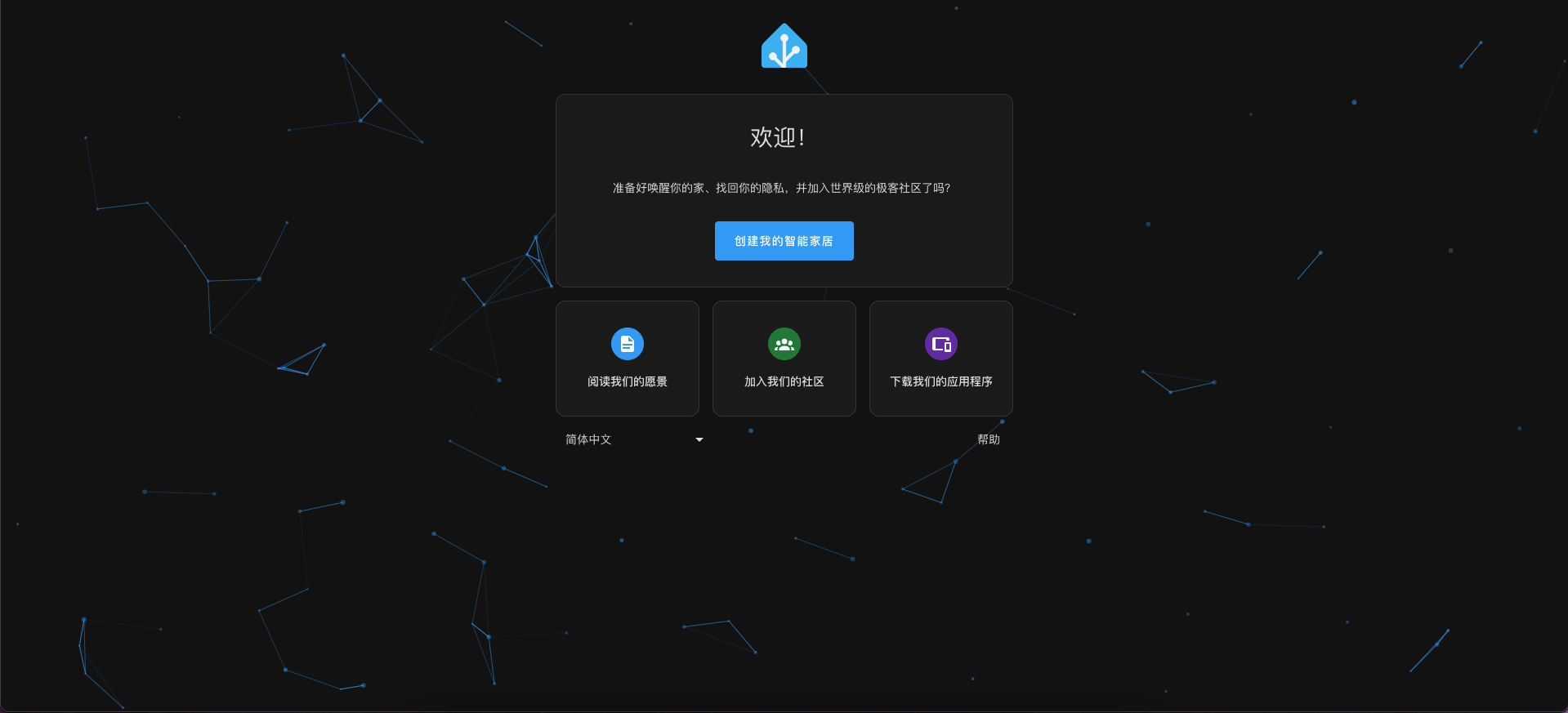 点击创建我的智能家居 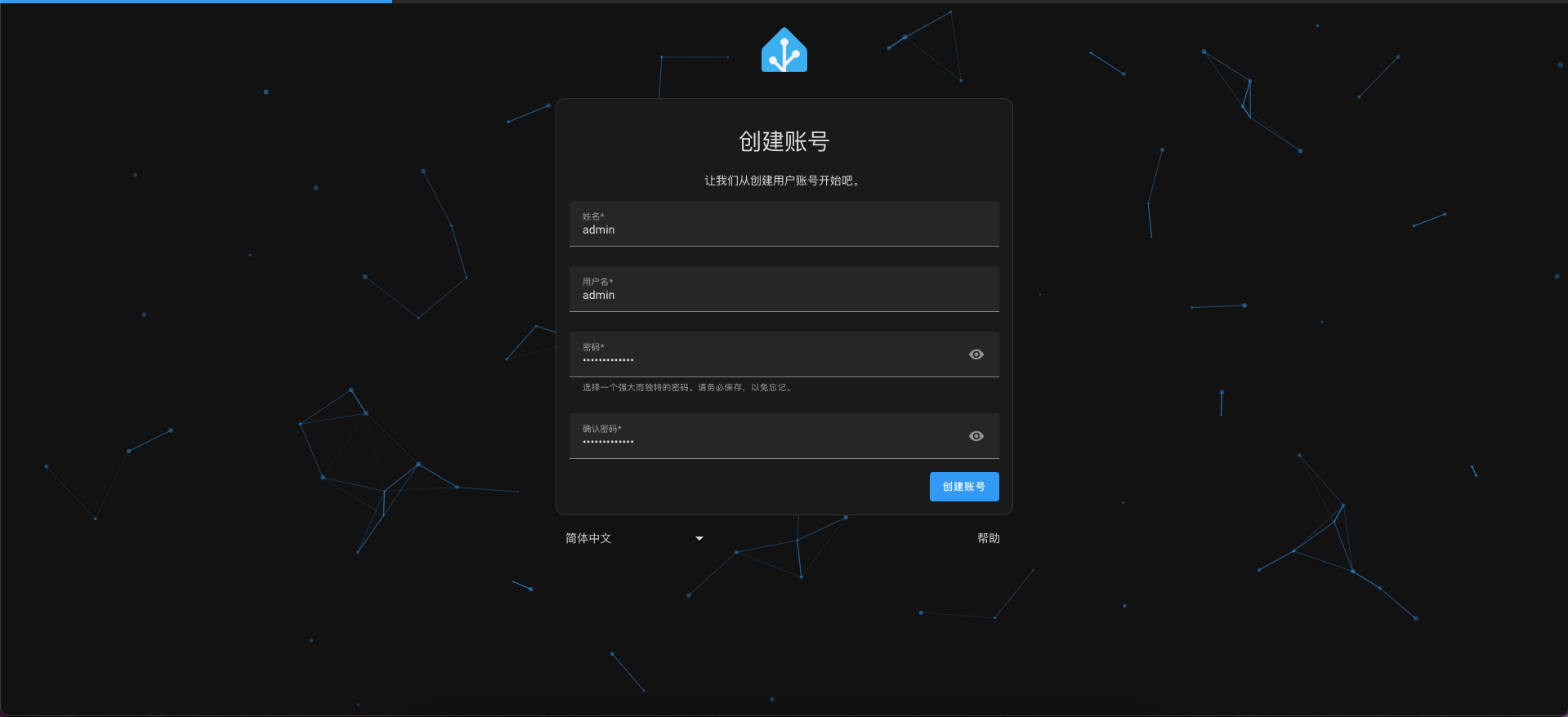 创建账号 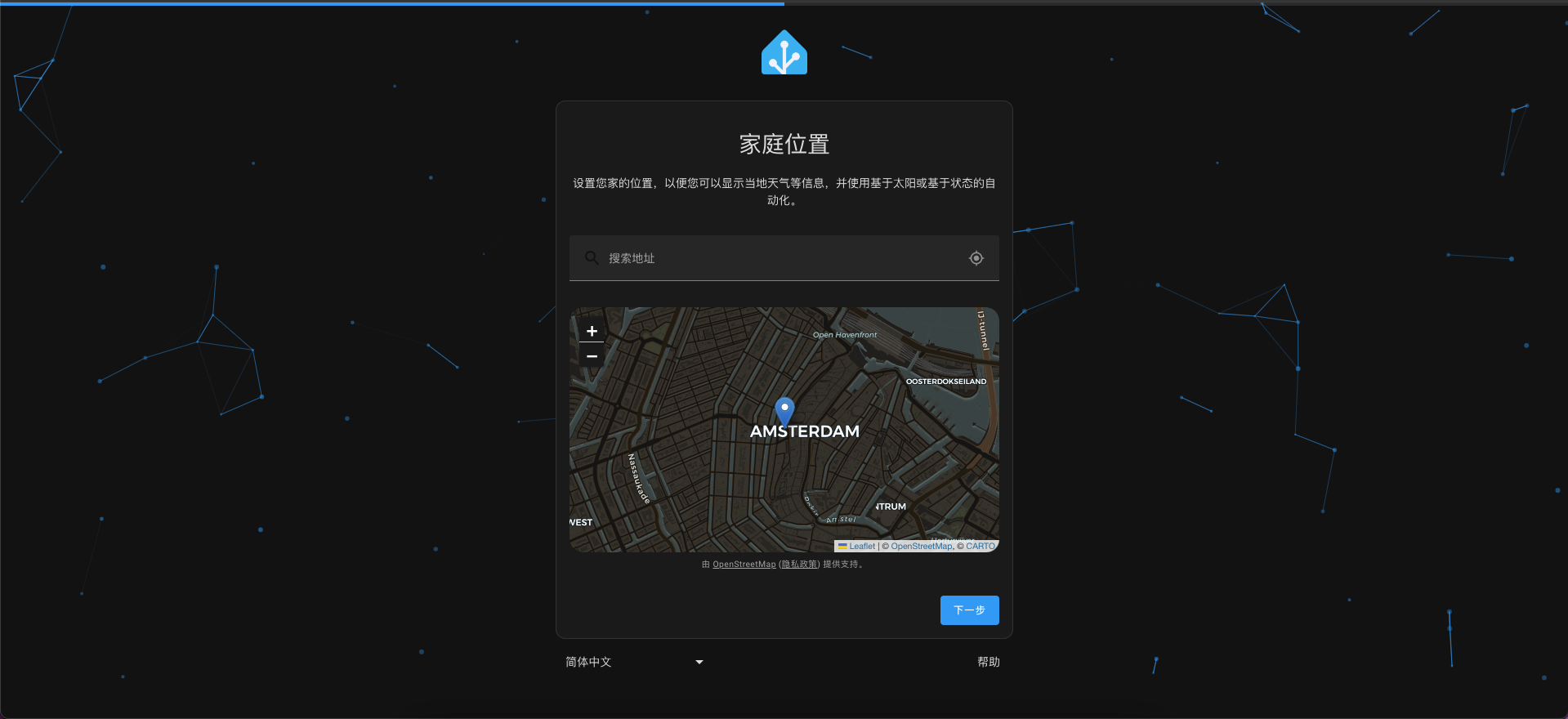 地理位置,可能搜索不到,点击下一步 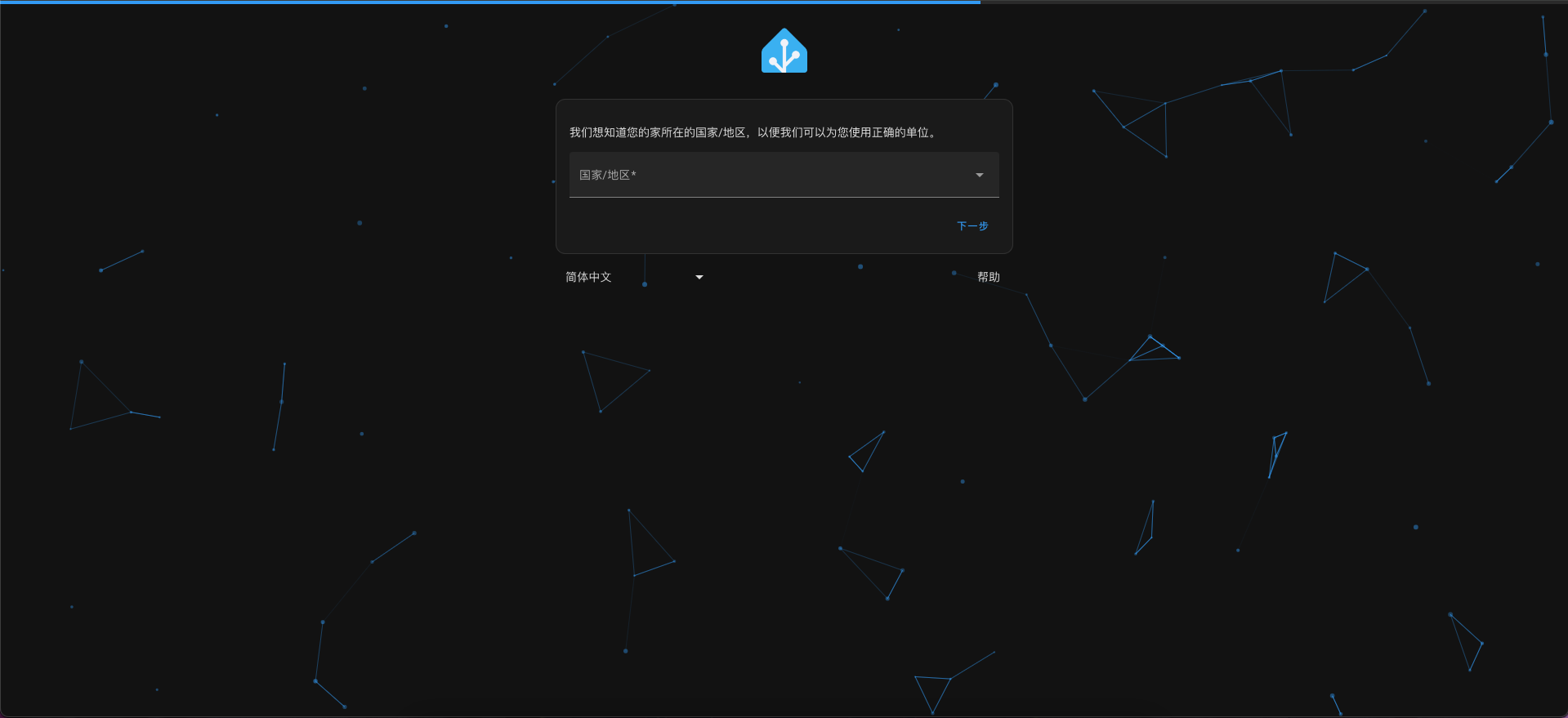 国家地区 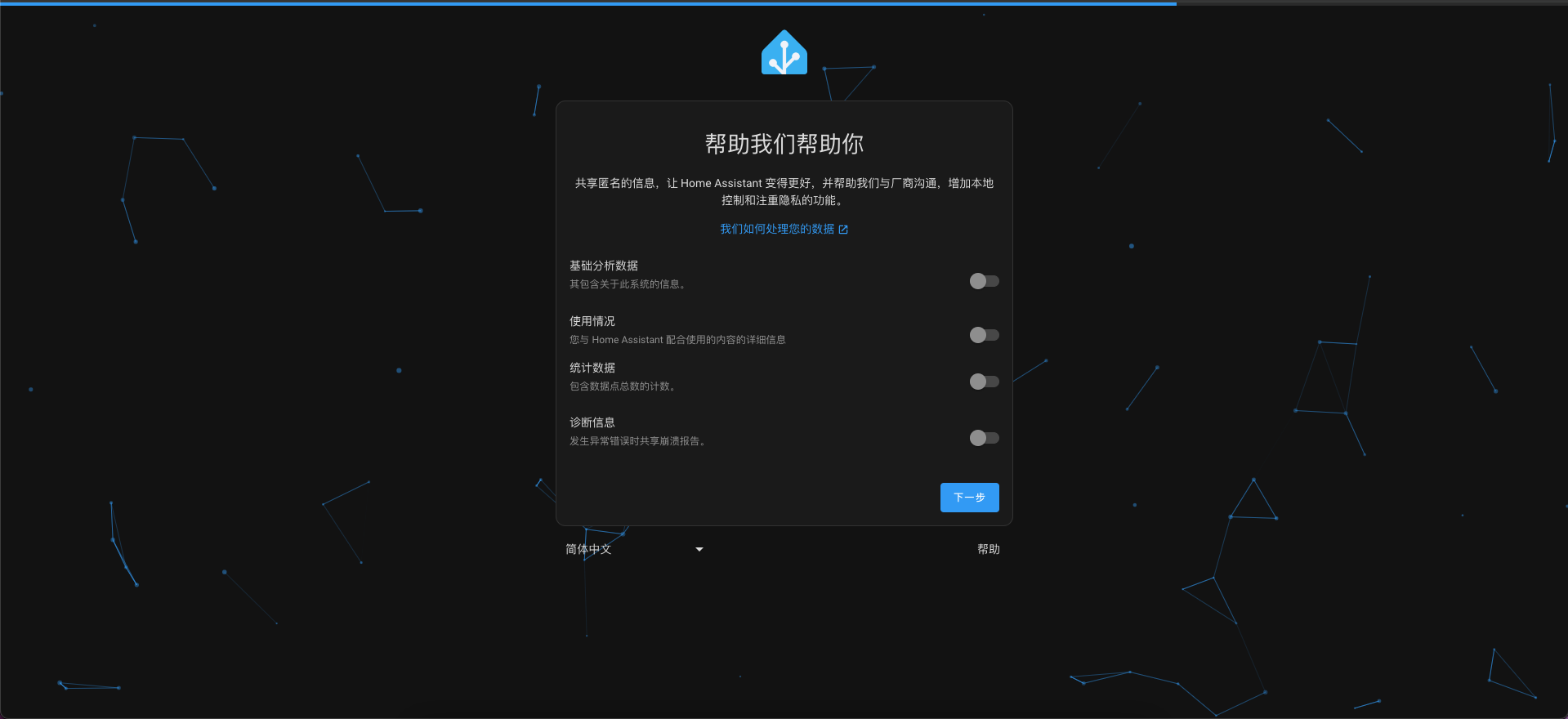 直接下一步 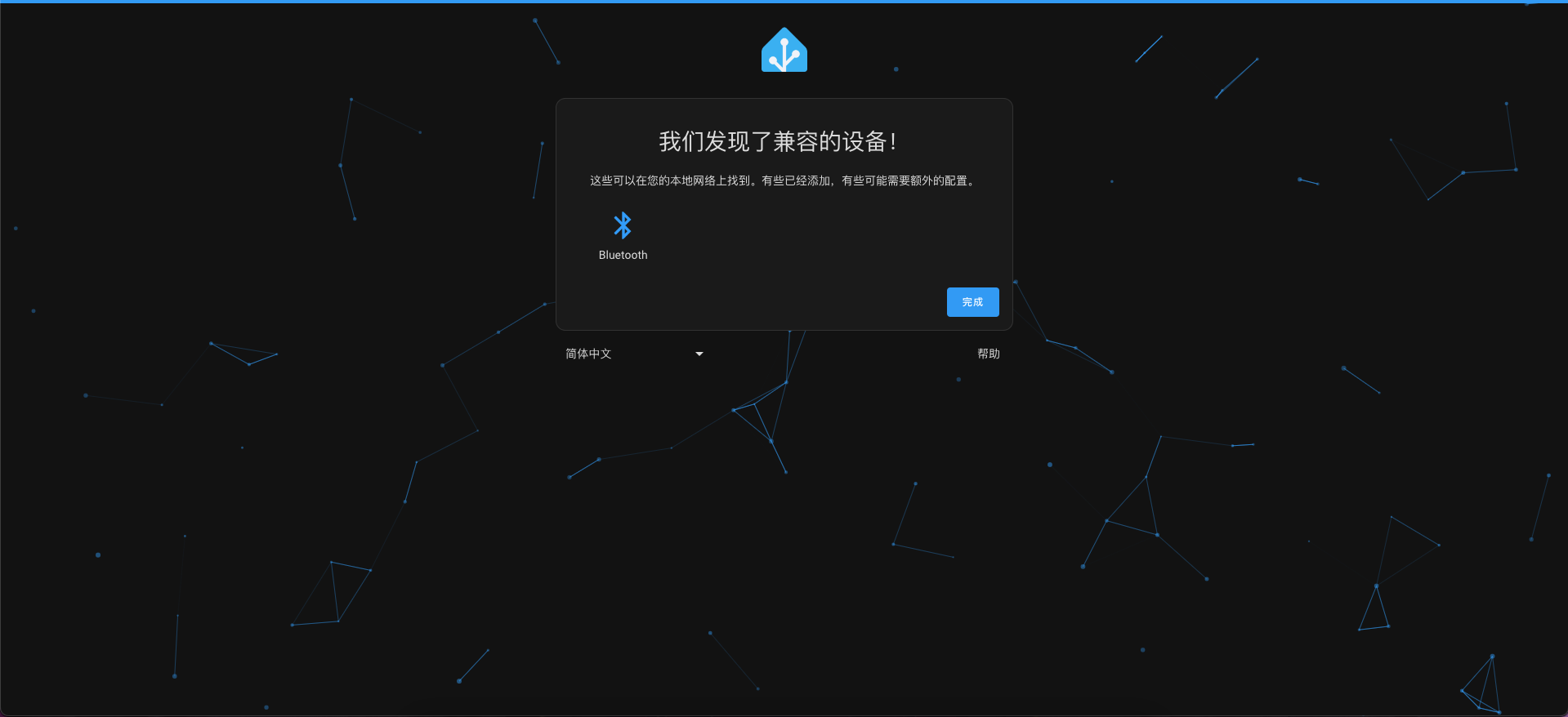 完成 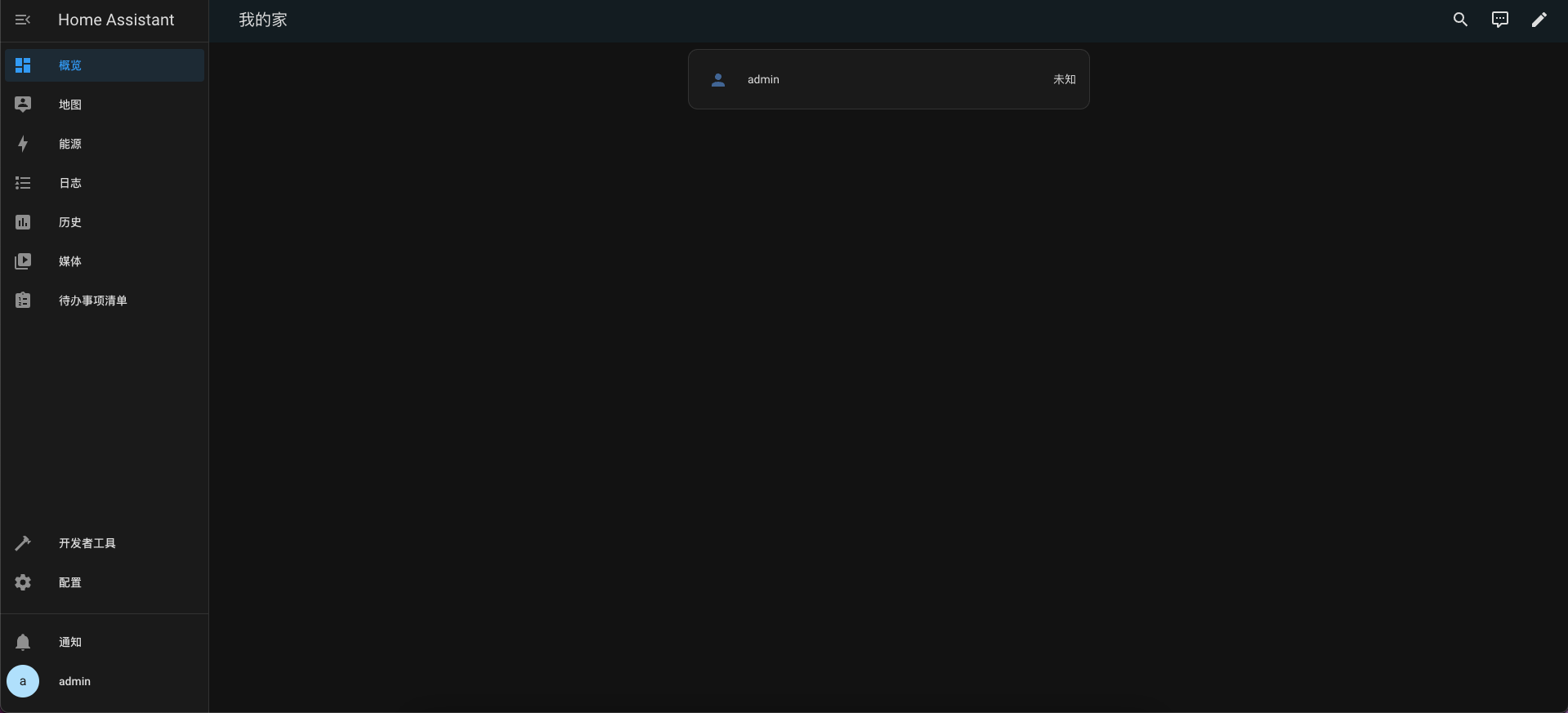 安装完成。 关联上一篇 > [智能家居]树莓派搭建全屋智能之环境搭建01 > [https://bbs.ai-thinker.com/forum.php?mod=viewthread&tid=44575](https://bbs.ai-thinker.com/forum.php?mod=viewthread&tid=44575) 关联下一篇 > 【智能家居】树莓派搭建全屋智能之环境搭建03 > [https://bbs.ai-thinker.com/forum.php?mod=viewthread&tid=44583](https://bbs.ai-thinker.com/forum.php?mod=viewthread&tid=44583)
点赞
1
收藏
0
淘帖
0
────
1
人觉得很赞
────
回复
使用道具
举报
12 回复
电梯直达
正序浏览
倒序浏览
正序浏览
沙发
1055173307
回复
使用道具
举报
2024-4-27 09:29:24
学习了
回复
评论
使用道具
举报
板凳
1084504793
回复
使用道具
举报
2024-4-27 10:01:36
赞
回复
评论
使用道具
举报
地板
lazy
回复
使用道具
举报
2024-4-27 14:27:46
回复
评论
使用道具
举报
5
#
iiv
回复
使用道具
举报
2024-4-27 15:41:00
奇怪的知识增加了
回复
评论
使用道具
举报
6
#
物联网
回复
使用道具
举报
2024-4-28 08:06:50
买不起买不起
回复
评论
使用道具
举报
7
#
sansui
回复
使用道具
举报
2024-4-28 10:07:34
树莓派太贵了啊
回复
评论
使用道具
举报
8
#
7788
回复
使用道具
举报
2024-4-28 10:39:09
学习了
回复
评论
使用道具
举报
9
#
timo
回复
使用道具
举报
2024-4-28 14:49:46
感谢分享
回复
评论
使用道具
举报
10
#
noonezero
回复
使用道具
举报
2024-4-28 20:27:17
大佬,这个配置有addon吗
回复
评论
使用道具
举报
B
Color
Image
Link
Quote
Code
Smilies
您需要登录后才可以回帖
立即登录
手机登录
点评
高级模式
本版积分规则
回帖并转播
回帖后跳转到最后一页
下一页 »
1
2
/ 2 页
下一页
今日推荐
MQTT 入门与实战:从协议原理到两块 WB2 对联
九章验证板——智能家居项目
Ai-Thinker Skills 正式发布!快来试试!
九章开发板疑问
🔌手把手!1T1R 毫米波测距演示怎么跑?接入与 Python 环境配置
ONELAB开发套件常见问题Q&A:距离、角度、速度、距离门设置
【九章MCP验证板】开发环境配置教程
AI-WV02-32S 铁板烧焊接翻车
不用写代码,先跑通这两个开源例程,感受毫米波能做什么
【体验】Ai-WV02-32S 这不就跑起来了么
热帖排行
从零理解 HTTP · TCP · TLS:用 WB2 芯片访问心知天气
MQTT 入门与实战:从协议原理到两块 WB2 对联
九章验证板——智能家居项目
VC01的模块,在语音平台设置了串口功能,但是没起作用
Ai-Thinker Skills 正式发布!快来试试!
九章开发板疑问
🔌手把手!1T1R 毫米波测距演示怎么跑?接入与 Python 环境配置
ONELAB开发套件常见问题Q&A:距离、角度、速度、距离门设置
统计信息
会员数: 31193 个
话题数: 42275 篇
首页
分类
我的