[i=s] 本帖最后由 sujingliang 于 2025-11-8 11:02 编辑 [/i]
SDK中提供了BLE的例程。使用方法可以参考瑞昱提供了相关文档说明https://aiot.realmcu.com/cn/latest/rst_rtos/rst_bt/application/1_bluetooth_application_toprst.html#ble-peripheral
本文复现例程过程,并在此基础上实现写入BLE特征值驱动LED
一、运行例程
cd ~/mcu/Ameba-rtos/ameba-rtos
source ameba.sh
cd amebadplus_gcc_project
1、menuconfig.py配置
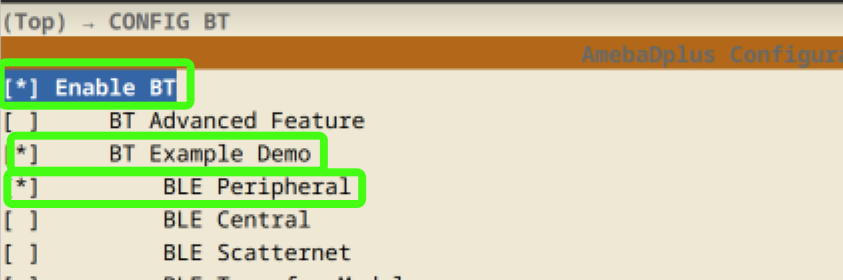
CONFIG BT ---> [*] Enable BT ---> [*]BT Example Demo --> [*] BLE Peripheral
2、编译下载
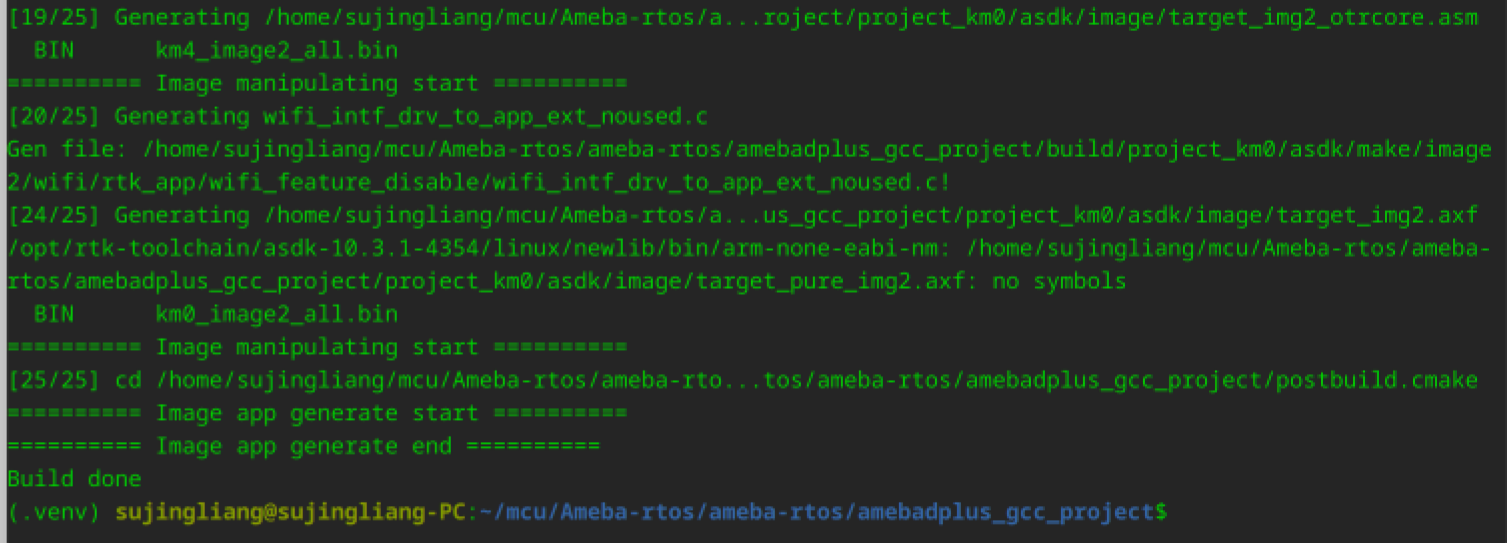
build.py
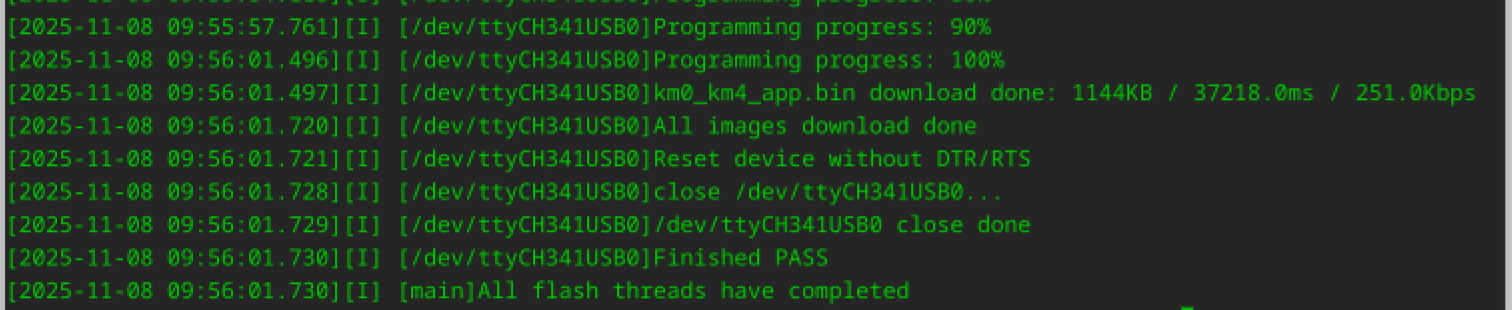
flash.py -p /dev/ttyCH341USB0
3、运行
打开串口工具,波特率:1500000,为了使能BLE Peripheral
需要发送AT指令:AT+BTDEMO=peripheral,1
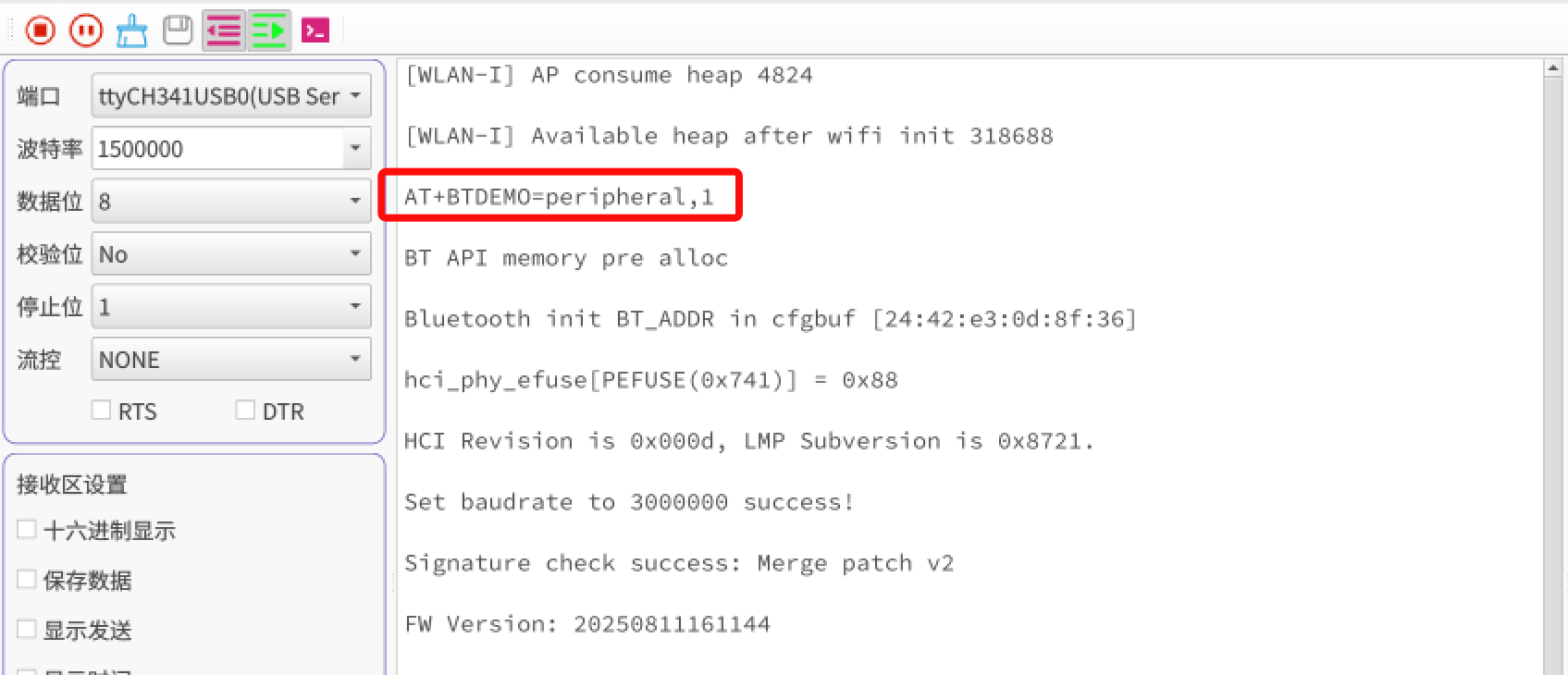
然后可以看到几个SERVICE也激活了:
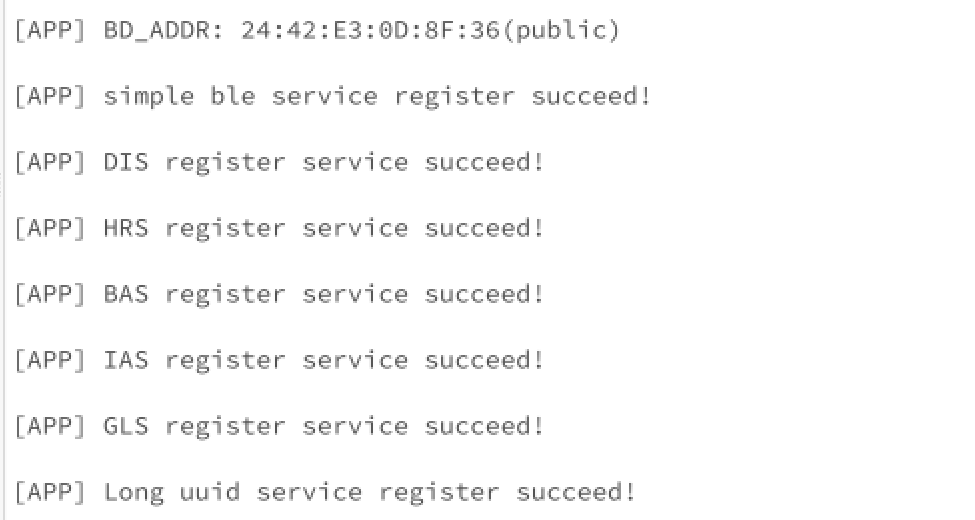
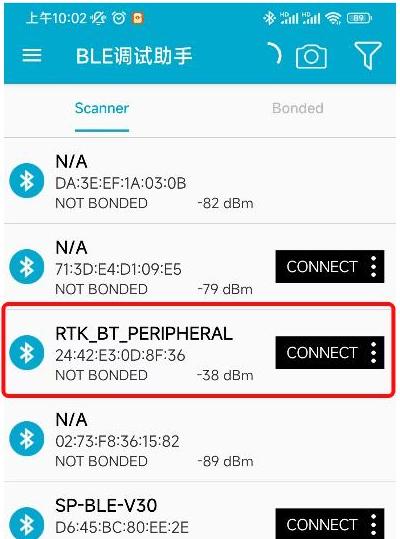
打开手机BLE调试工具:
可以搜索到RTK_BT_PEIPHERA,连接
可以看到提供的服务:
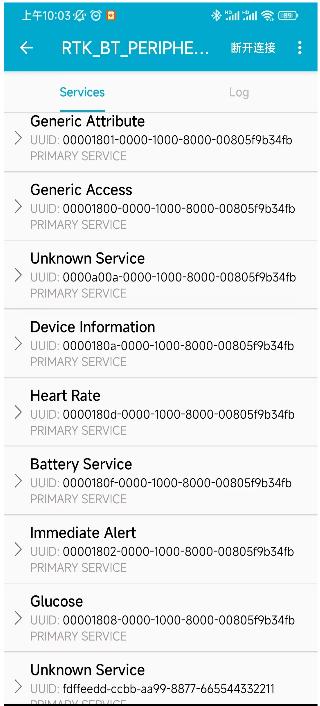
读取一个特征值:
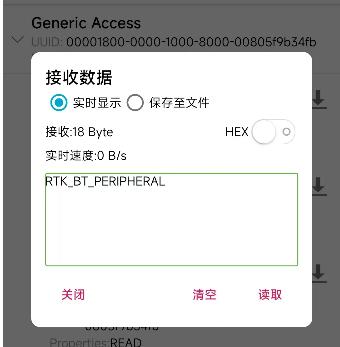
二、功能扩展
例程中需要用AT指令使能BLE Peripheral,使用并不方便。
1、程序使能BLE Peripheral
cd ~/mcu/Ameba-rtos/ameba-rtos/component/bluetooth/example/ble_peripheral

新建2个文件:ble_led.c,ble_led.h
ble_led.c
#include "platform_autoconf.h"
#include "ameba_soc.h"
#include "os_wrapper.h"
#include "ble_led.h"

extern int ble_peripheral_main(uint8_t enable);

void raw_gpio_demo(void)
{
	/* Enable GPIO function and clock */
	// RCC_PeriphClockCmd(APBPeriph_GPIO, APBPeriph_GPIO_CLOCK, ENABLE);

	GPIO_InitTypeDef GPIO_InitStruct_LED;

	// init LED control pin
	GPIO_InitStruct_LED.GPIO_Pin = GPIO_LED_PIN1;
	GPIO_InitStruct_LED.GPIO_Mode = GPIO_Mode_OUT;
	GPIO_Init(&GPIO_InitStruct_LED);
	GPIO_InitStruct_LED.GPIO_Pin = GPIO_LED_PIN2;
	GPIO_Init(&GPIO_InitStruct_LED);
	GPIO_InitStruct_LED.GPIO_Pin = GPIO_LED_PIN3;
	GPIO_Init(&GPIO_InitStruct_LED);
	GPIO_InitStruct_LED.GPIO_Pin = GPIO_LED_PIN4;
	GPIO_Init(&GPIO_InitStruct_LED);
	GPIO_InitStruct_LED.GPIO_Pin = GPIO_LED_PIN5;
	GPIO_Init(&GPIO_InitStruct_LED);

	//使能BLE从机
	ble_peripheral_main(1);

	rtos_task_delete(NULL);
}

void app_example(void)
{
	if (RTK_SUCCESS != rtos_task_create(NULL, "RAW_GPIO_DEMO_TASK", (rtos_task_t)raw_gpio_demo, (void *)NULL, (128 * 16),
										(1))) {
		printf("Create RAW_GPIO_DEMO_TASK Err!!!\n");
	}
}


void turn_off_leds(void)
{
	GPIO_WriteBit(GPIO_LED_PIN1, 0);
	GPIO_WriteBit(GPIO_LED_PIN2, 0);
	GPIO_WriteBit(GPIO_LED_PIN3, 0);
	GPIO_WriteBit(GPIO_LED_PIN4, 0);
	GPIO_WriteBit(GPIO_LED_PIN5, 0);
}

void set_led(uint8_t i,u32 val)
{
	switch(i){
		case 1:
			GPIO_WriteBit(GPIO_LED_PIN1, val);
			break;
		case 2:
			GPIO_WriteBit(GPIO_LED_PIN2, val);
			break;
		case 3:
			GPIO_WriteBit(GPIO_LED_PIN3, val);
			break;
		case 4:
			GPIO_WriteBit(GPIO_LED_PIN4, val);
			break;
		case 5:
			GPIO_WriteBit(GPIO_LED_PIN5, val);
			break;
	}
}
通过调用ble_peripheral_main(1);在程序启动时使能ble peripheral
ble_led.h
#ifndef BLE_LED_H
#define BLE_LED_H

#include "ameba_soc.h"

#define GPIO_LED_PIN1		_PB_17
#define GPIO_LED_PIN2		_PB_18
#define GPIO_LED_PIN3		_PB_19
#define GPIO_LED_PIN4		_PB_20
#define GPIO_LED_PIN5		_PB_21

void turn_off_leds(void);
void set_led(uint8_t i,u32 val);

#endif
CMakeLists.txt中增加ble_led.c
ameba_list_append(private_sources
    peripheral.c
    ble_led.c
)
peripheral.c
增加对LED的控制:
case RTK_BT_LE_GAP_EVT_ADV_START_IND: {
		rtk_bt_le_adv_start_ind_t *adv_start_ind = (rtk_bt_le_adv_start_ind_t *)param;
		if (!adv_start_ind->err) {
			BT_LOGA("[APP] ADV started: adv_type %d  \r\n", adv_start_ind->adv_type);
			set_led(1, 1);//增加开始广播时亮灯
		} else {
			BT_LOGE("[APP] ADV start failed, err 0x%x \r\n", adv_start_ind->err);
		}
		BT_AT_PRINT("+BLEGAP:adv,start,%d,%d\r\n", (adv_start_ind->err == 0) ? 0 : -1, adv_start_ind->adv_type);
		break;
	}
case RTK_BT_LE_GAP_EVT_ADV_STOP_IND: {
		rtk_bt_le_adv_stop_ind_t *adv_stop_ind = (rtk_bt_le_adv_stop_ind_t *)param;
		if (!adv_stop_ind->err) {
			BT_LOGA("[APP] ADV stopped: reason 0x%x \r\n", adv_stop_ind->stop_reason);
			set_led(1, 0);//增加关闭广播时灭灯
		} else {
			BT_LOGE("[APP] ADV stop failed, err 0x%x \r\n", adv_stop_ind->err);
		}
		BT_AT_PRINT("+BLEGAP:adv,stop,%d,0x%x\r\n", (adv_stop_ind->err == 0) ? 0 : -1, adv_stop_ind->stop_reason);
		break;
	}
case RTK_BT_LE_GAP_EVT_CONNECT_IND: {
		rtk_bt_le_conn_ind_t *conn_ind = (rtk_bt_le_conn_ind_t *)param;
		rtk_bt_le_addr_to_str(&(conn_ind->peer_addr), le_addr, sizeof(le_addr));
		if (!conn_ind->err) {
			role = conn_ind->role ? "slave" : "master";
			BT_LOGA("[APP] Connected, handle: %d, role: %s, remote device: %s\r\n",
					conn_ind->conn_handle, role, le_addr);
			set_led(4, 1);//增加BLE连接成功后,亮灯
		} else {
			BT_LOGE("[APP] Connection establish failed(err: 0x%x), remote device: %s\r\n",
					conn_ind->err, le_addr);
			set_led(4, 0);//增加BLE连接失败后,灭灯
		}
		BT_AT_PRINT("+BLEGAP:conn,%d,%d,%s\r\n", (conn_ind->err == 0) ? 0 : -1, (int)conn_ind->conn_handle, le_addr);
		break;
	}
2、修改特征值控制LED
cd ~/mcu/Ameba-rtos/ameba-rtos/component/bluetooth/example/gatt_service/server
修改rtk_long_uuid_service.c
if (LONG_UUID_WRITE_INDEX == p_write_ind->index) {
			BT_LOGA("[APP] Long uuid service write event, len: %d, type: %d, data:\r\n",
					p_write_ind->len, p_write_ind->type);
			BT_DUMPA("", p_write_ind->value, p_write_ind->len);
			BT_AT_PRINT("+BLEGATTS:write,%u,%u,%u,%u,%u\r\n",
						p_write_ind->app_id, p_write_ind->conn_handle, p_write_ind->index,
						p_write_ind->len, p_write_ind->type);

			//BT_LOGA("value:%d\r\n",*p_write_ind->value);
			if((uint8_t)*(p_write_ind->value)==0x31){
				set_led(5,1);
			}else if((uint8_t)*(p_write_ind->value)==0x32){
				set_led(5,0);
			}
其中增加了
if((uint8_t)(p_write_ind->value)==0x31){
set_led(5,1);
}else if((uint8_t)(p_write_ind->value)==0x32){
set_led(5,0);
}
实现在long_uuid写入0x31(数字1)点灯,写入0x32(数字2)灭灯